
How the Vishuddha Legal Desk works
Vishuddha Property Consultancy sends you a property's papers here, you talk them through with the office in one private chat, and you give your legal opinion. Only you and the office see your cases. The numbers on each picture match the steps beside it.
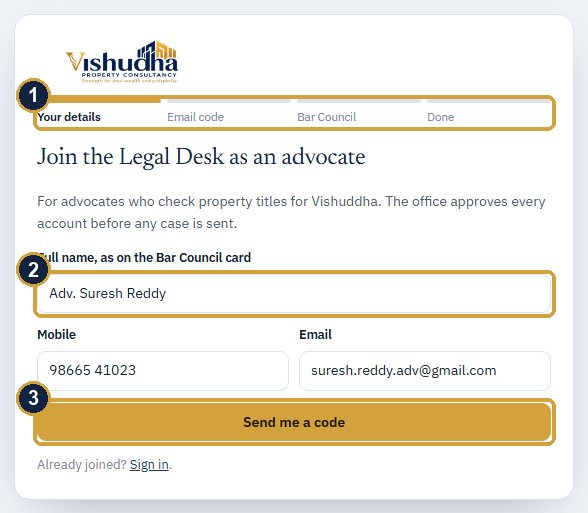
Join
Open the link in the office's invitation email, or apply from For advocates at the foot of the website.
- Four short steps: your details, an email code, your Bar Council details, done.
- Your full name as on the Bar Council card, your mobile and your email.
- Press Send me a code and type the 6-digit code from your email.
Then your enrolment number, State Bar Council, year, the courts you practise in and a photo of your Bar Council ID card, and the promise to keep the papers confidential. If the office invited you, you are in at once. If you applied, the office checks your enrolment and emails you, usually within a working day.
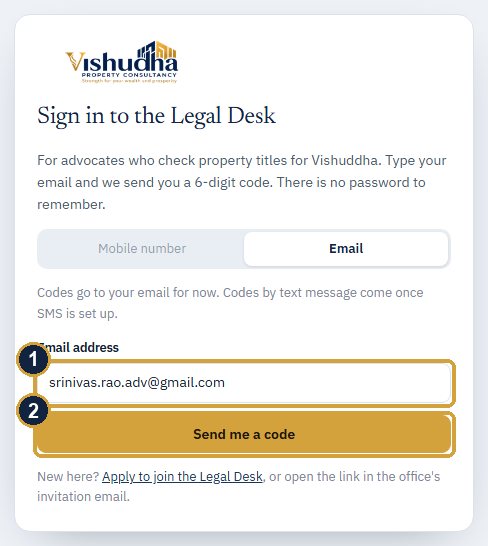
Sign in with a code, no password
- Type your email at staging.vishudhaproperty.com/advocate/.
- Press Send me a code.
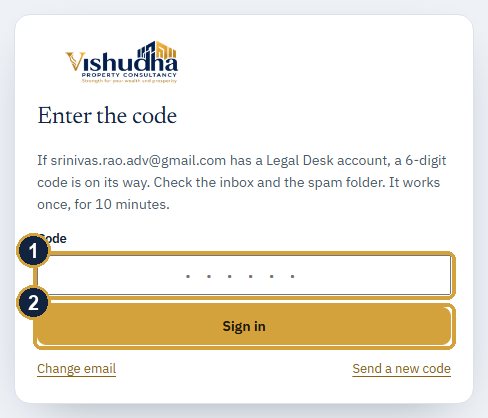
A 6-digit code arrives by email from Vishuddha. Type it in and press Sign in. A code works once, for 10 minutes. Nobody from Vishuddha will ever ask you for it.
Your cases and the chat
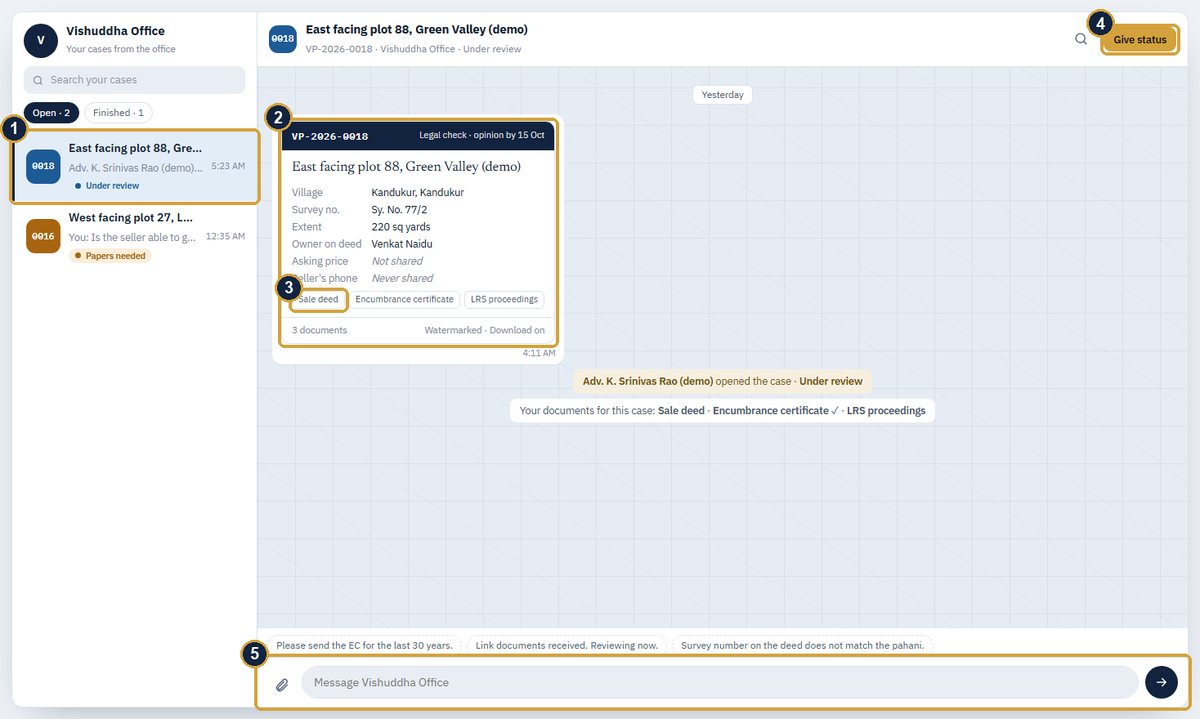
- Each property the office sends you is a case on the left, with its status. Finished holds the ones with your opinion.
- The case card: the property and what the office has shared with you. "Not shared" means the office kept it back.
- Tap a paper's name to open it.
- Give status: see step 5.
- Write to the office here; press Enter or the arrow. The clip attaches a file. Tap a saved line above the box to use it, or Reply on a message to quote it.
New messages appear by themselves, and you get an email when the office writes.
The papers carry your name
Every page you open or download is marked with your name, the VP number and the date. Download a paper with Download beside it, where the office allows it. When the office closes a case, its papers are no longer open; the chat stays to read.
Give your status and opinion
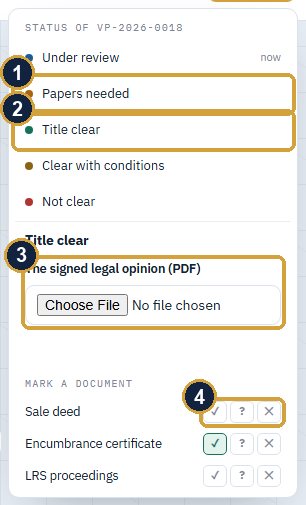
Press Give status at the top of the chat.
- Papers needed: say which papers, and the office asks the seller.
- Title clear, Clear with conditions or Not clear is your opinion.
- An opinion needs the signed legal opinion as a PDF. Choose it and press Send to the office.
- Mark each paper fine (✓), doubtful (?) or missing (✕).
Opening a case for the first time sets it to Under review by itself. Every change is written into the chat.
Your fee
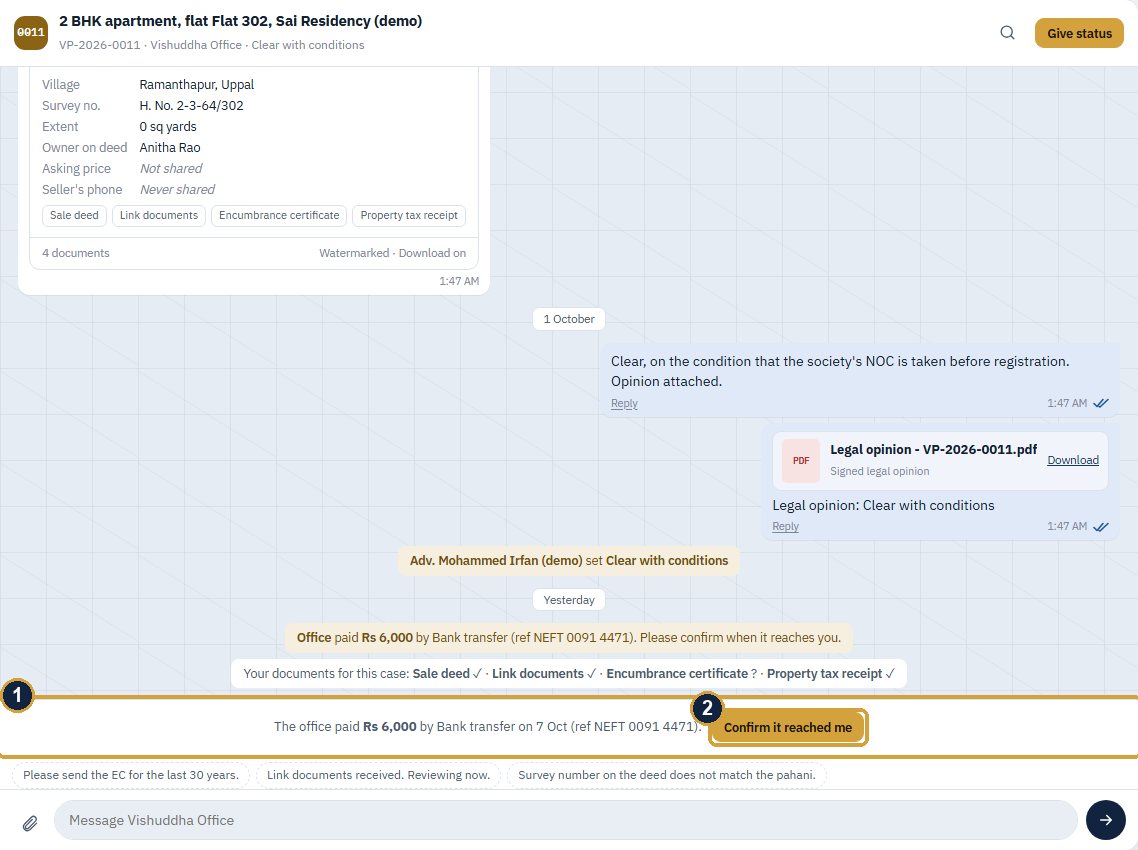
- When the office pays you, by UPI or bank transfer as now, the case shows the amount, the date and the reference.
- Press Confirm it reached me when the money arrives.
On your phone
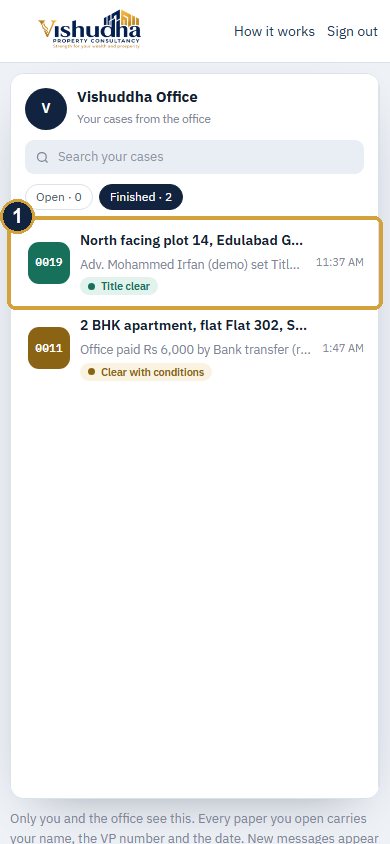
- The list of cases first; tap one to open its chat, and the arrow to come back, like WhatsApp.
Add it to your home screen: in Chrome, the menu (⋮) then Add to Home screen; on an iPhone, Share then Add to Home Screen. It opens with the Vishuddha icon.
Questions
- Call us on 85000 65151, or write in the chat of any case.
- You see only your own cases with the office, and on each one only what the office shared. The seller's phone number is never sent.
- Sign in · Apply to join